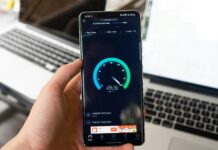
Mobile broadband has emerged as a critical necessity for small enterprises, freelancers as well as start-ups in the UK due to the growing need for them to remain connected. Mobile broadband allows businesses to work on the move and access client needs swiftly while enabling them to remain competitive at the same time.
What is Mobile Broadband?
Mobile broadband provides users with wireless, high-speed internet access using cellular networks. Not like traditional fixed-line broadband services, mobile broadband is SIM card-based and comes in handy with portable modems as well as mobile hotspot devices, enabling connectivity for smartphones, tablets, and laptops.
Why Mobile Broadband Is Great For Those Working On The Move
Mobile broadband serves as an excellent choice for UK-based small businesses and startups looking for remote work opportunities because it provides unrivalled flexibility in areas where broadband may not be practical or available. It allows access to the internet from virtually anywhere within network coverage.
How Does Mobile Broadband Work?
Mobile broadband access utilises cellular data networks which include 3G, 4G, LTE, and 5G. These networks send and receive data through electromagnetic radio waves from the user’s device to the closest cell tower. The data then passes through the provider’s core network, potentially reaching different destinations like websites and even cloud services.
The quality and the protections associated with mobile broadband connections depend on several factors such as the measure of network congestion, the strength of the signal, and the level of security put in place for the service provider and the user. These factors affect the quality and security of the mobile connection.
8 Tips For Achieving Mobile Broadband Network Security
To secure your organisation’s mobile broadband connections, consider the following best practices:
Use Reliable Passwords and Remove Default Ones
Whenever setting up mobile broadband devices and networks, apply strong and unique passwords. Default passwords are easy to breach because they are readily available and well-known.
Keep Firmware and Software Constantly Updated
Updates improve existing systems or devices by enhancing the security features. So always remember to check for updates for your mobile broadband devices, as well as the devices themselves.
Use a Virtual Private Network
When connecting to mobile broadband, VPNs serve to encrypt internet traffic, hide your IP address and provide a higher level of security from the always looming danger of cybercrimes. This is arguably more significant when in public spaces using insecure networks.
Track Activity and Data Spending
Always monitor your mobile broadband data spending, while also keeping track of your network activity. Anything out of the ordinary, such as a sudden spike in data usage or strange devices connecting to your network, might indicate a security breach.
Enable Restricting Measures
Make sure to utilise encrypted protocols such as WPA3 to secure the mobile devices that connect to the broadband network. This will ensure any data sent from devices to the network is protected. Encryption creates data that can not be read to protect the data. It becomes almost impossible for unauthorised people to intercept the data.
Protect Your IoT and Connected Gadgets
The Internet of Things has drastically changed the way most small companies operate. Devices like smart cameras and point-of-sale systems are now connected to mobile broadband networks. As IoT grows, so does the need for stronger passwords, updated firmware and limited access permissions.
Set Up Multi-Factor Authentication
Adding layers to passwords that require additional prompts, like a mobile app or SMS code, is a good way to increase security measures and reduce the chances of breaches.
Employee and User Tutorial
Security breaches often occur as a result of human error. Impart training to employees and others on safe practices such as phishing scams, public Wi-Fi usage without VPN, and handling sensitive information.