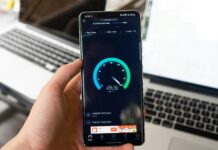
Whether you’re a business or household, staying connected is an ever-present need. From working remotely and browsing social media to streaming movies or gaming, none of it would be possible without a fast and reliable Internet connection.
Typically, the solution is mobile broadband. But what do you do if the speed isn’t quite as fast as you would like it to be? Before you panic, there are a few ways that you can try to improve your mobile broadband’s speed.
What Is Mobile Broadband?
Mobile broadband is the Internet connection that you use while on-the-go. This is made possible by using cellular networks like 3G, 4G or 5G. In the past, traditional broadband connections relied on fixed-line cables but this isn’t the case anymore.
With mobile broadband, you get far more flexibility and you can easily connect to the Internet from your phone, tablet or mobile hotspot. As long as you are within your network coverage area, you will be able to access high-speed Internet.
Why Do We Need Mobile Broadband?
Mobile broadband offers numerous benefits and advantages, which is why it has become an essential for most people and businesses.
It’s highly flexible: With mobile broadband, you can access the Internet from just about anywhere at any time. This comes in handy if you’re using public transport, at a restaurant or while you are travelling.
It supports remote work and learning: The world has seen a major shift towards working and learning online. After the Covid-19 pandemic, businesses were forced to work from home, and many have kept it that way five years later due to its benefits. For those in rural areas, they can access education and courses online without needing to be physically present.
It’s cost-effective: Depending on where you are and which plan you have, mobile broadband can actually be more affordable than traditional wired broadband. This is particularly beneficial for users who don’t require a fixed-line connection at all times.
It serves as a back-up: If you are temporarily without Wi-Fi, you can still access the Internet by using your mobile broadband.
7 Ways To Boost Your Mobile Broadband Speed
The speed and reliability of your mobile broadband connection can be affected by a multitude of factors. If you have been experiencing slower speeds recently, here are a few ways in which you can optimise it.
Choose The Right Network And Data Plan
The network that you are connected to will be the biggest influencing factor when it comes to mobile broadband speed. It’s important to understand that mobile networks will vary in terms of coverage and data speeds, so you will need to choose the one that best suits you.
If your area has 5G networks, upgrading to a 5G-supported plan can significantly increase your speeds. 5G offers ultra-fast speeds and lower latency compared to 4G, so this would be ideal for streaming, gaming and downloading large files.
It’s also necessary to check the coverage map of your service provider. Even if you have 4G or 5G, if your area has a weak signal then you will ultimately experience slower speeds.
Check Your Device Settings
The device you use also has a role to play in how fast your connection will be. If you leave apps running in the background, these consume a considerable amount of data and bandwidth. If you close unnecessary apps that you aren’t using, you should see a boost in your speed.
You should also regularly update your device’s software, as these updates often include performance improvements that could enhance your connectivity.
Change Your Network Band
Modern phones are able to support multiple network bands, or frequencies, and toggling between them could help to improve your speed.
If you are using Wi-Fi, switch to the 5GHz band instead of the 2GHz. It does have a shorter range, but can still offer higher speeds.
Position Your Device To Get Better Signal
The speed of your mobile broadband is directly affected by signal strength, and your device’s position can make a significant difference.
If you are in a building that has poor reception, place your device higher up like on a shelf or near a window to get better signal. Always avoid putting your device near walls, metal objects or electronic equipment as these can block the signal.
Use A Mobile Hotspot Or Router
Consider using a mobile hotspot or router if you find that your smartphone’s mobile broadband just isn’t cutting it. These are designed with the purpose of providing Internet access to multiple devices.
Some mobile routers can even connect to both 4G and 5G networks, which can give you more stability than a smartphone alone can.
Regularly Clear Your Browser’s Cache And Cookies
Over time, your device’s browser will accumulate cache and cookies as you visit websites and store things on your device. This can significantly slow down your browsing speed, and if you clear it periodically, you should see an improvement.
Some browser extensions can also affect your speed by using a huge amount of bandwidth. To avoid this, try browsing in a private window or incognito mode for faster speeds.
Use A VPN
A Virtual Private Network (VPN) can help to improve the speed of your mobile broadband. This is especially helpful in cases where your Internet Service Provider (ISP) may throttle your connection based on usage or what you’re doing like streaming or gaming.
With a VPN, you can bypass the throttling because your traffic will be encrypted and the nature of your activities will be hidden from your ISP.