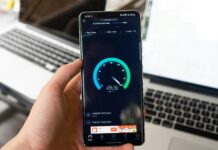
Mobile broadband makes it easy to get online wherever you are, but the connection is not always as smooth as you’d like. Many people notice their speeds drop in the evening or at other busy times, and it can be frustrating. This usually is not a fault with your device but rather how mobile networks work when lots of people are using them at once.
Why Peak Times Slow Down Mobile Broadband
If your mobile broadband feels slower in the evening, it probably is. Mobile networks are shared, so when lots of people go online at once, everyone gets a smaller share of the connection. To stop the network from becoming overloaded, providers sometimes slow down certain types of activity, like large downloads or heavy streaming, so that everyday tasks such as browsing or calls can still work for most people. Knowing this makes slow speeds easier to understand and gives you a better idea of how to handle them.
What “Peak Time” Really Means
Mobile networks are engineered around a “busy hour”, the period with the highest demand. When that demand exceeds available capacity, the network becomes congested, similar to cars queuing on a busy road. The result is slower downloads, higher latency, and more variability in performance until traffic eases again.
What Causes Mobile Broadband to Slow Down at Peak Times?
When networks are busiest, mobile broadband often struggles to keep up. Several factors combine to slow connections during these peak hours, from congestion to provider limits.
1. Shared Radio Capacity and Oversubscription
Each cell has a finite spectrum and a fixed number of resource blocks to hand out per moment. In peak periods, more devices compete for those blocks, so everyone’s share shrinks and speeds drop. On top of radio capacity, providers often oversubscribe access on their networks, which can further limit throughput during busy hours.
2. Backhaul Bottlenecks
Even if radio conditions are good, the links that carry traffic from a cell site back to the core network can congest. Link overload or faults on that path introduce delays and throttle end-user speeds until congestion clears.
3. Traffic Management, Throttling, and Fair Usage Policies
Some providers apply throttling, deprioritisation, or fair usage policies during peak hours, especially for heavy users or specific traffic types, to keep service usable for the majority. This does not always mean the provider is doing anything malicious; it is a standard tool to prevent overload on shared networks.
4. Radio Conditions Inside Buildings
During busy periods you are more likely to notice the impact of weak indoor signals, interference, or attenuation through walls. A poorer signal forces devices to use more robust, slower modulation schemes, which reduces throughput just when you need it most.
5. Load Balancing Effects Between Cells
In some radio technologies, overloaded cells effectively “shrink,” pushing devices to neighbouring cells that may also be busy, spreading but not eliminating congestion. This load-balancing behaviour reduces speeds until demand falls again.
6. Latency and Scheduling Under Heavy Load
Modern networks schedule packets to meet different service needs. Under congestion the scheduler juggles more demand than it can serve immediately, so queuing delays and jitter rise. Even if the headline download speed looks fine, calls and video can feel laggy.
7. Technology Mix in Your Area
5G generally improves capacity and lowers latency, but availability and implementation style matter. Areas still dominated by older technologies or non-standalone deployments can show more pronounced slowdowns at busy times than well-provisioned 5G zones.
How To Tell If Peak Time Is The Problem
Run a few simple A-B checks. Test your speed and latency at a quiet time, then again during your personal “rush hour”. If results are consistently worse at the same busy times, congestion is likely. If speeds improve when you use a VPN, traffic shaping could be a factor, though a VPN can add its own overhead, so treat this as a clue rather than proof.
What Can You Do to Reduce the Impact of Peak-Time Slowdowns?
Even though you cannot control how many people are using the network, there are a few steps you can take at home to make your connection more reliable.
- Place your 4G or 5G router well and strengthen signal. Position the device high and central, away from obstructions, and consider directional or external antennas if supported. A stronger signal lets your device use higher-throughput modulation and hold speed under load.
- Prefer wired or strong local Wi-Fi. Peak-time pain is worse if your in-home Wi-Fi is already weak. Use Ethernet where possible, or a modern router with good coverage, so your local network is not the bottleneck when the mobile link briefly improves.
- Schedule heavy tasks off-peak and manage household traffic. Time big updates or cloud backups overnight and stagger streaming or downloads across the home. Many routers support simple traffic rules that prioritise calls or video meetings.
- Check your plan’s Fair Usage Policy. If your provider deprioritises traffic after a threshold, consider a higher allowance or a plan without deprioritisation, especially if several users share the connection.
- Compare local network performance. Coverage and capacity vary by location. Where available, modern 5G deployments can hold speeds better at busy times than older networks. If peak-time slowdowns are persistent, trying an alternative provider with stronger local capacity may help.
Peak-time slowdowns on mobile broadband stem from shared capacity meeting a surge in demand. Radio resources, backhaul, and provider policies all play a role, and even a good indoor setup cannot fully escape congestion.
The best strategy is a mix of practical network hygiene at home, sensible scheduling, and choosing a plan and provider that match how and when you go online. With that in place, mobile broadband can remain a dependable everyday connection, even when everyone else jumps online at once.