These days, we can use our phones for just about anything, from watching Netflix to online gaming and video conferencing. This is all very convenient; however, it all requires mobile data. It is vital to manage your mobile data usage to ensure you don’t exceed your data limit and rack up large bills.
Why Is It Important To Reduce Your Mobile Data Usage?
Although almost everything requires mobile data these days, it is important to monitor your usage. Some data plans do not have a cap, meaning that if you exceed your limit, you will be charged for the additional data. The problem is that these charges are usually astronomical and can quickly leave you with a very large bill.
Additionally, some data plans have a limit and a cap, and once you use more, the provider can throttle your internet speed. Managing your data ensures that you avoid large charges and slow internet speeds.
Tips To Reduce Your Mobile Data Usage?
There are several ways you can reduce your mobile data usage:
1. Use Wi-Fi
Wherever possible, try to use Wi-Fi as this will help you save your mobile data.
2. Disable Background App Refresh
Some apps are constantly running in the background, being refreshed and scanning for updates. On some occasions, these updates will then automatically be initiated. Background app refresh uses a lot of mobile data, and it is not a feature that is crucial to have enabled.
3. Limit Streaming Services
Streaming sites are notorious for using a lot of data. It is recommended to stream music or videos when you are connected to Wi-Fi. Alternatively, some streaming sites allow you to download content to watch or listen to later. You can download songs or movies while connected to Wi-Fi and enjoy them when you don’t have Wi-Fi access.
4. Use Your GPS Map Offline
Some GPS map apps allow you to download maps so that you can use them without mobile data. Download the map while connected to Wi-Fi so that you won’t have to use a lot of mobile data when using maps.
5. Data Saver Mode
Most smartphones have this convenient feature that can minimise data usage across apps. Make sure to enable data saver mode on your phone.
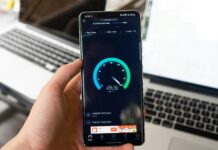
6. Monitor Usage
Being aware of your usage can help you determine which apps and activities are using up the bulk of your mobile data. For instance, if you determine that you are using too much data by streaming, you can limit your streaming activity and try to pre-download content with Wi-Fi so that you don’t have to use your mobile data.
7. Set Data Limits
Most smartphones have a feature where you can set data limits. You can set the limit to give you a warning or to stop your data usage immediately when it reaches that limit.
8. Streaming Settings
We’ve determined that streaming uses up a lot of data, but there are ways to make the usage a bit less. Instead of watching movies or videos in the highest quality, reduce the playback settings to something like 360p, as this will reduce data usage.
9. Auto Updates
It is recommended to disable auto-updates of apps in your app store. This way, you can choose when to update certain apps. Some app stores even allow auto-updates, but only when connected to Wi-Fi. This is also a great way to ensure your apps are updated while limiting your own data usage.
10. Sync When You Have Wi-Fi
Some cloud services will sync automatically. It is recommended to change the auto-sync setting to “disabled,” or, if you have the option, set it to sync only while connected to Wi-Fi. This way, if you have taken a lot of photos, it will not use data to sync all those photos to the cloud.
What Are The Benefits Of Saving Mobile Data?
These tips can help you reduce your data usage, which can save you money and improve the overall performance of your device. This also helps ensure that you will have mobile data when you need it, such as in case of an emergency.
Can You Make the Most of Your Mobile Data?
By applying tips such as limiting auto-sync, auto-updates, and setting data limits, you can greatly reduce the amount of data you use. This ensures that you don’t exceed your data plan limit, which can result in large bills and decreased internet speed. Limiting your data also ensures that you have data when you need it, such as in case of an emergency. Every tip helps, and every little adjustment and tweak can save you a lot of data at the end of the day.